> ## Documentation Index
> Fetch the complete documentation index at: https://help.mem.ai/llms.txt
> Use this file to discover all available pages before exploring further.
# Troubleshoot Desktop App Startup
> What to do if the Mem desktop app will not open or keeps closing
# Troubleshoot Desktop App Startup
If the Mem desktop app will not open or keeps closing, try the steps below.
The Mem desktop app officially supports Windows 11 and later. If you use an earlier Windows version, use [Mem on the web](https://mem.ai).
## Example Error
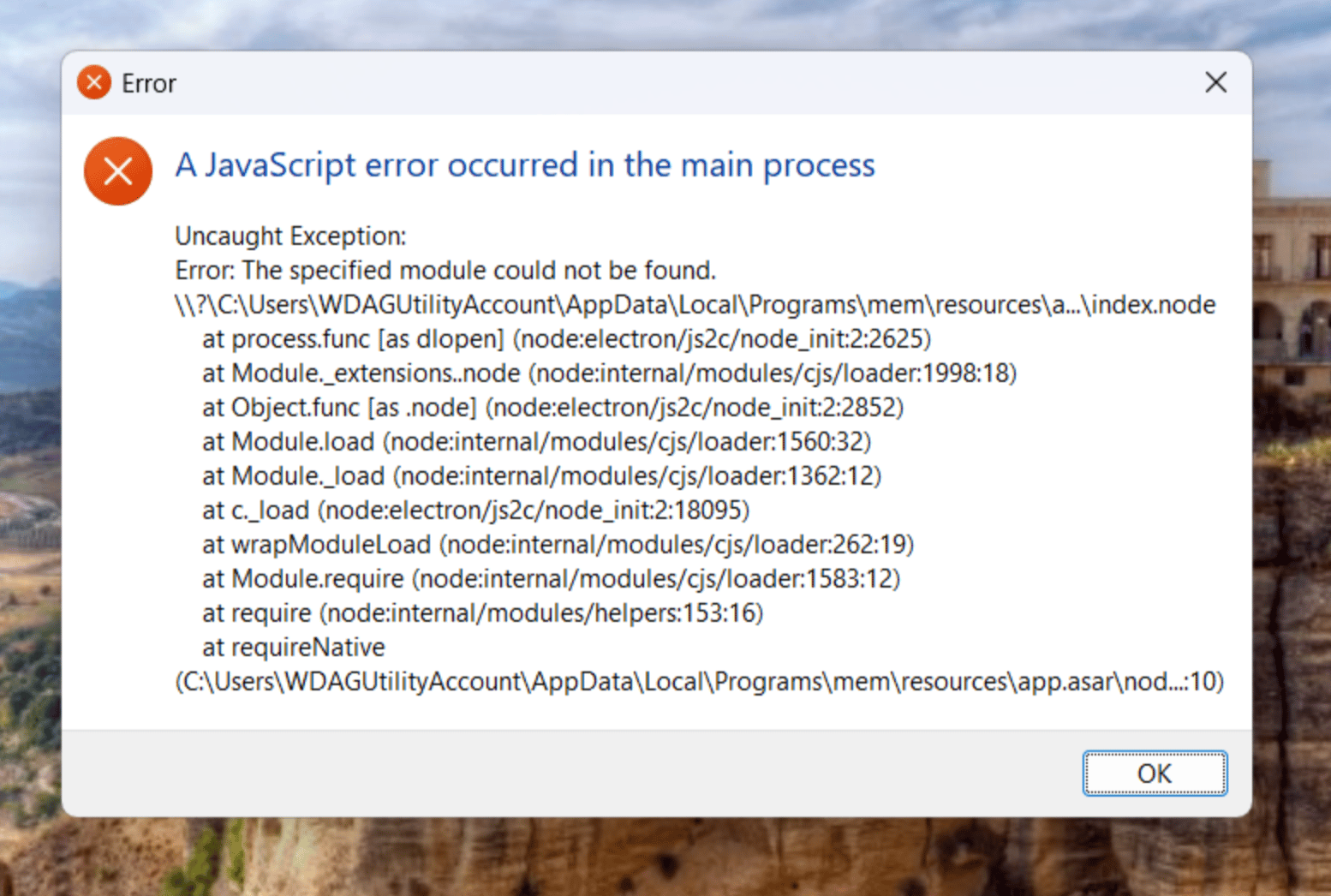
On Windows, this problem can appear as an **A JavaScript error occurred in the main process** dialog that says **The specified module could not be found**.
 ## Try These Steps
1. Fully quit Mem, then open it again.
2. If Mem shows a **Mem could not start** message, select **Try again** once.
3. Download and install the latest version from [get.mem.ai/download](https://get.mem.ai/download).
4. Restart your computer, then try Mem again.
## Install the Windows Runtime
If Mem still will not open on Windows, or the error mentions a missing component, install Microsoft's current [Visual C++ Redistributable for x64](https://aka.ms/vc14/vc_redist.x64.exe).
You can confirm the download and learn about the runtime on Microsoft's [latest supported Visual C++ Redistributable downloads](https://learn.microsoft.com/en-us/cpp/windows/latest-supported-vc-redist?view=msvc-170) page.
Restart your computer after the installation finishes, then open Mem and select **Try again** if prompted.
## If You Still Need Help
You can keep working in [Mem on the web](https://mem.ai) while troubleshooting the desktop app.
If Mem opens but becomes stuck, follow [Reset the Desktop App](/troubleshooting/desktop-app-reset).
Contact [support@mem.ai](mailto:support@mem.ai) with your operating system version, Mem desktop version if you know it, and a screenshot or the exact text of the error.
## Try These Steps
1. Fully quit Mem, then open it again.
2. If Mem shows a **Mem could not start** message, select **Try again** once.
3. Download and install the latest version from [get.mem.ai/download](https://get.mem.ai/download).
4. Restart your computer, then try Mem again.
## Install the Windows Runtime
If Mem still will not open on Windows, or the error mentions a missing component, install Microsoft's current [Visual C++ Redistributable for x64](https://aka.ms/vc14/vc_redist.x64.exe).
You can confirm the download and learn about the runtime on Microsoft's [latest supported Visual C++ Redistributable downloads](https://learn.microsoft.com/en-us/cpp/windows/latest-supported-vc-redist?view=msvc-170) page.
Restart your computer after the installation finishes, then open Mem and select **Try again** if prompted.
## If You Still Need Help
You can keep working in [Mem on the web](https://mem.ai) while troubleshooting the desktop app.
If Mem opens but becomes stuck, follow [Reset the Desktop App](/troubleshooting/desktop-app-reset).
Contact [support@mem.ai](mailto:support@mem.ai) with your operating system version, Mem desktop version if you know it, and a screenshot or the exact text of the error.